

Carrello vuoto
 I nostri marchi







 Sistema Operativo
 Microsoft Office
 Office App
 Windows Server
 Antivirus & Sicurezza
  Utilità
Passi il mouse sull'immagine per ingrandirla
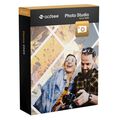
ACDSee Photo Studio Home 2025

Consegna 05-30 minuti via e-mail
Servizio tecnico
 Gratuito
Gratuito
Chiave di attivazione
 Codice autentico
Codice autentico
Scaricamento
 Link per il download
Link per il download
Lingue disponibili
 EN
EN
EN
Piattaforma(e)
 Windows
Windows
Validità disponibile
 A vita
A vita
Zona(e) di paese(i)
 In tutto il mondo
In tutto il mondo
Versione
 Versione completa
Versione completa

Eccellente, valutazione di su recensioni dei clienti.
Ulteriori informazioni.
▼
I Vantaggi dell'Acquisto ACDSee Photo Studio Home 2025 presso di Noi
Autenticità Garantitay
Tutti i nostri software sono 100% autentici, direttamente dai fornitori ufficiali.
Garanzia
Godete di tranquillità con la nostra garanzia di durante la validità del prodotto, ben oltre i 30 giorni standard.
Installazione Gratuita
Approfittate di un servizio di installazione gratuita per una configurazione senza problemi.
Assistenza Clienti 24/7
Il nostro team dedicato è disponibile in qualsiasi momento per assistervi.
Migliori Prezzi
Ottenete i migliori prezzi: €49.99!
Descrizione
ACDSee Photo Studio Home 2025: Overview
Embark on your creative journey with ACDSee Photo Studio Home 2025, a powerful photo editing and asset management software designed for enthusiasts and professionals alike. Enhanced with advanced, locally powered AI, this version empowers users with unmatched speed, precision, and control—all while keeping your data safe on your device.
- Locally powered AI for faster performance and total data privacy
- AI Super-Resolution to upscale and enhance photo quality instantly
- Advanced Masking Tools including AI Object Masking for detailed editing
- AI Sky Replacement with new sky categories for natural-looking composites
- Multi-tab interface in Manage Mode for efficient navigation
ACDSee Photo Studio Home 2025: Features and Innovations
Explore the latest advancements integrated into ACDSee Photo Studio Home 2025. From cutting-edge AI-powered tools to refined editing workflows, this version empowers photographers of all levels with professional-grade capabilities—all while keeping your images secure on your local device.
Harness GPU-Driven AI Performance
ACDSee Photo Studio Home 2025 takes full advantage of your system's GPU to deliver ultra-fast AI-powered editing. Tools like AI Super-Resolution now operate with significantly enhanced speed, allowing you to perform complex enhancements effortlessly. All AI processing is done locally, meaning your images and data remain securely stored on your device—no cloud uploads, no privacy concerns.

Intelligent Image Upscaling Made Easy
With AI Super-Resolution, you can intelligently upscale your images while reducing noise, eliminating blur, and preserving fine details. Whether you're preparing photos for large-scale prints or breathing new life into vintage snapshots, this tool ensures crystal-clear results. You can even process multiple images simultaneously using the Batch AI Super-Resolution function.
Advanced Masking with Local AI Precision
The newly designed Masking Group in Develop Mode provides a central hub for your masking workflow. Access powerful tools like AI Object Masking, Color Range, and Luminance Range with ease. These features enable refined, non-destructive edits, allowing you to highlight vibrant colors or dramatic lighting transitions. Fine-tune your masks with blending options such as Feathering and Shift controls.


Redefine Landscapes with Smart Sky Replacement
Redefine your landscapes with AI Sky Replacement. Swap skies effortlessly to match your creative vision, using a range of new presets including Overcast and Fireworks. Whether you're enhancing a moody fall scene or adding a celebratory glow to your night skies, the tool ensures a seamless and realistic final image. You can also import your own skies to personalize each project.
System Requirements
To activate your software, validate subscriptions, or access online services, a valid email address and internet connection are required.
Hardware Requirements:
- Processor: Intel or AMD with 64-bit support (Intel i5 or better recommended)
- RAM: 4 GB (8 GB or more recommended)
- Video RAM: 512 MB VRAM (2 GB or more recommended)
- Graphics Adapter: DirectX 10 compatible (DirectX 12 with feature level 12_0 or later recommended)
- Display Resolution: 1280 x 800 (1920 x 1080 recommended)
- Storage: 4 GB of available hard drive space
Software Requirements:
- Operating System: Windows 10 (64-bit) & Windows 11
- Browser: Microsoft Edge
- Graphics Support: Microsoft DirectX 10 or higher
- Multimedia: Windows Media Player 9.0
Frequently Asked Questions
-
Can I use ACDSee Photo Studio Home 2025 without an internet connection?
Yes, but an internet connection is required for initial activation, software updates, and certain online features. Once activated, you can use the core features offline.
-
Does ACDSee Photo Studio Home 2025 support batch processing?
Absolutely. The batch processing feature allows you to apply effects, resize, or enhance multiple photos at once, saving you valuable time.
-
Do the AI features upload my photos to the cloud?
No. All AI features in ACDSee Photo Studio Home 2025 are powered locally, meaning your images remain securely on your device and are never uploaded to external servers.
-
How to Download and Activate ACDSee Photo Studio Home 2025?
Once your purchase is complete, you will receive a secure download link and a valid license key via email. Follow the installation instructions, enter your product key, and start using ACDSee Photo Studio Home 2025 immediately.
Recensioni
Nessun messaggio trovato